Shopping ads might’ve caught your eye if you’ve got an online shop or you’re just starting to mess around with ads on the internet. You know, those product pics that show up when you’re hunting for something on Google? Yeah, I’m zeroing in on Google Shopping Ads here. They can seriously pump up your sales if you play your cards right.
So, What the Heck Are Google Shopping Ads?
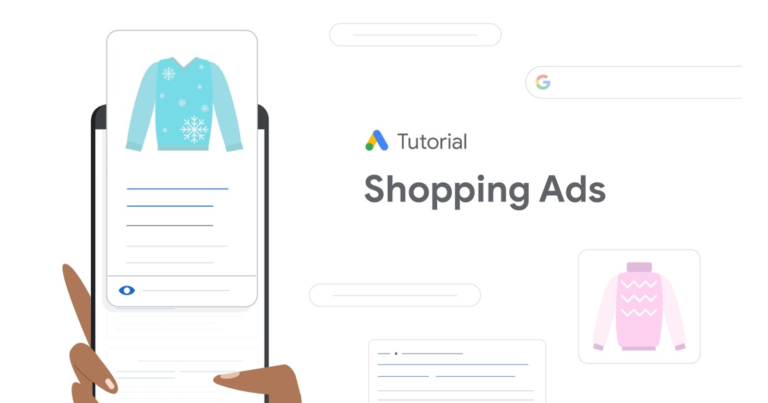
Imagine you’re typing in “cool running shoes” on Google. Bam, right up top, you spot pics of sneakers, their prices, and where to grab ’em. That’s Google Shopping Ads doing their thing. These aren’t your boring text ads. They’re all about visuals, showing off products with images, costs, store names, and sometimes star ratings. It makes shopping feel quicker and more fun for folks browsing.
Google kicked this off back in 2012, and man, has it blown up. It’s a big deal for anyone selling stuff online now. The best part? You don’t need to write clever ad lines. Google pulls everything from your product list. A simple file packed with info like names, blurbs, prices, and photos. Get that list right, and your ads start shining.
How Do These Ads Actually Work?
Alright, let’s break it down. It all starts with Google’s Merchant Center. Sign up there, dump in your product details, and get ’em checked out. Once that’s good, hook it up to Google Ads, whip up a campaign, and your stuff can pop up in searches. Google’s smart tech matches what you sell to what people are looking for. Say someone searches “noise-canceling headphones”. If you’ve got ’em, your ad could appear.
These ads don’t stick to just Google Search. They sneak into YouTube, Gmail, and even other sites that Google partners with. More eyes on your products without lifting a finger. And paying? Only when someone clicks. That’s the pay-per-click deal.
I tried this once for a buddy’s gadget side hustle. We optimized a few product names to match what people actually type, and sales spiked by 30% in no time. Unbelievable how small changes pay off.
Why Bother with Google Shopping Ads?
Why jump in? Well, they’re killers for getting noticed. Here’s a quick rundown:
- Stand Out Big Time: Pics grab eyes way faster than plain words.
- More Clicks Coming Your Way: People dig seeing the real deal upfront, so they click more.
- Shoppers Who Mean Business: Clickers know the price already, so they’re closer to buying.
- Not Too Tricky to Start: If you’re on Shopify or something similar, setup’s a snap.
- Worth the Cash: Set your spend limits, and the returns can be sweet if your prices compete.
- Handy Stats: Google hands over data on what’s hot, like which items get the most views.
How to Set Up?
Start off with a Merchant Center account. Prove your site’s yours, then upload that product file. It could be a spreadsheet or straight from your shop. Key stuff: unique codes, strong names, short descriptions, current prices, stock status, and sharp pics.
Jump to Google Ads next. Make a Shopping campaign, pick your area, slap on a daily budget, and choose how to bid. Go manual if you wanna control every penny, or let Google automate it.
Keep optimizing. Block bad searches with negative keywords. Like skipping “cheap” if you’re premium. Bunch similar products together for easier management. And watch the numbers. Pair with Analytics to see real buys.
Some quick:
- Nail Those Pics: Clear shots from different sides. Blurry? No thanks.
- Smart Product Names: Toss in brand, color, and size. Match what users search.
- Keep Prices Fresh: Old prices scare people off.
- Throw in Deals: Free shipping or sales tags pull ’em in.
- Phone-Friendly Site: Loads of searches happen on mobiles, so make sure it zips.
- Try Stuff Out: Test different bids and lists to find winners.
Who Wins with These Ads?
E-commerce folks love ’em, but they’re not flawless. Hot categories like gadgets or clothes mean tougher competition and higher costs. Got something rare? You could clean up. Just play by Google’s rules. No fakes or shady claims, or you’re out.
Targeting’s fun too. Hit up past visitors again, or zero in on ages, spots. Local shop? Show ads just in your hood.
Mix with other tools for extra oomph. Analytics digs deeper, or apps handle big lists.
Helped a pal with her jewelry gig once. We targeted “artsy necklaces,” and boom. Holiday sales went wild. Shows small timers can crush it.
Final Words!
Wrapping up, Google Shopping Ads are a total game-changer for anyone hustling online. They put your products right in front of eager buyers with those eye-catching visuals that make scrolling feel like window shopping. From boosting visibility to driving real sales, they’ve helped countless small shops and big brands alike explode their revenue. Think about it: no more relying on bland text ads when you can showcase images, prices, and deals that pull people in instantly.
If you’re not tapping into this yet, you’re missing out on a huge opportunity. Jump in with a basic setup, experiment with your feed and bids, and watch the traffic roll in. It’s not just about ads, it’s about connecting your stuff with folks who actually want it. Over time, as you tweak and learn, the returns can be massive. Whether you’re a newbie or seasoned seller, these ads level up your game. Give ’em a shot, track your wins, and scale smartly. Who knows, it could turn your side gig into a full-blown success story.
FAQs
- How do Google Shopping Ads differ from plain Google Ads?
Plain Google Ads show up as simple text links at the top of search results, usually with a short headline and description. They’re great for general promotions or services.
But Google Shopping Ads take it up a notch. They display actual product images, prices, store names, and ratings right there in the search. This visual style makes them feel more like browsing a store catalog.
- Should you have a site for these?
Oh yeah, you absolutely need a website to run Google Shopping Ads. It has to be a functional e-commerce site where folks can actually buy stuff. Google wants to make sure everything’s legit, so they’ll verify your domain ownership.
That means adding a bit of code or uploading a file to prove it’s yours. Your site also needs to be secure with HTTPS, and it should follow basic policies like clear return info and contact details.
- What is the starting cost?
Good news: setting up Google Shopping Ads doesn’t cost a dime upfront. No fees for creating accounts in Merchant Center or Google Ads. You only pay when someone clicks on your ad, which is the pay-per-click model. Bids start low, maybe around $0.50 per click, but it varies by competition.
I suggest starting off with a small daily budget, like $10 to $20, to test the waters without breaking the bank. As you see what’s working, you can scale up. Keep an eye on your return on ad spend to make sure you’re profiting.