Look, making pictures with just a few words is pretty damn cool now. If you’ve been wondering how to use ChatGPT image generator, I’m here to help you out. It runs on OpenAI’s DALL-E version and spits out decent visuals from whatever you describe.
Students love it for projects, and honestly, anyone can get around with it. Knowing how to use ChatGPT’s image generator really lets you get creative without needing fancy software.
What’s ChatGPT Image Generator?
Basically, it’s a part of ChatGPT that turns your text into images. You tell it what you want, and it draws it. Not some kid’s doodle. Proper visual that understands styles, moods, and details.
The best bit is how easy it flows. You type in the chat like normal, give it a description, and the picture shows up right away. OpenAI keeps changing it, so the quality’s gotten way better. Yeah, Google Gemini does something similar, but I prefer ChatGPT because the back-and-forth chatting feels natural.
I use it because it’s quick and fun. Need a logo idea? A weird fantasy landscape? Or even a version of yourself in some classy outfit? It addresses that demand in a comfortable manner.
Start By Getting Access
First things first. You need an account. Go to chat.openai.com, sign up if you haven’t. Takes a minute, and it’s free.
The full-featured image tool is stronger with ChatGPT Plus, but you can absolutely learn how to use ChatGPT image generator for free on the basic account. Then you will have some pictures every day, and that is enough when you are working it out.
Quick rundown:
- Log in or make an account with your email or Google.
- Stay on free for now. Upgrade later if you get hooked.
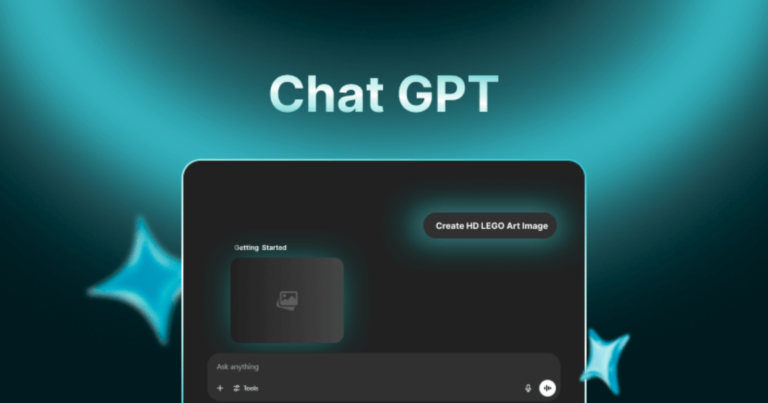
- Just start chatting. Type something that asks for an image, and it’ll kick in.
- If nothing happens, poke around settings to make sure it’s enabled (usually is).
Got a phone? The app works exactly the same. I do most of mine on mobile when I’m bored.
The Actual Steps to Make Images
Okay, core query: how to use ChatGPT image generator. It all boils down to your prompt. That’s the sentence or two you type telling it what to make.
Start small. Type “red apple sitting on a wooden table” and send. Boom, image appears fast. To make it nicer, add more words.
I do it like this:
- Open the site or app.
- Type a clear description: “Sunny beach with a few palm trees swaying.”
- Throw in a style if you want: “make it look like a cartoon” or “super realistic photo.”
- Send it. Often gives you four choices.
- Not happy? Just reply “make the water bluer” or whatever.
Free account limits you daily, so don’t waste them on junk. That’s basically how to use ChatGPT image generator for free. Simple as that.
People mess up most by being too vague. “Dog” gets you random crap. Say what you mean.
Some Tricks I’ve Learned for Better Pictures
I’ve made hundreds at this point, and good prompts make all the difference. Don’t overload them, but don’t skimp either.
- Get descriptive: “Fluffy white cat stretched out asleep by a window with sun coming in.”
- Add some life: “Little kid laughing hard while flying a bright kite in a field.”
- Steal styles: “Paint it like Van Gogh” for those starry swirls.
- Control the view: “Close-up shot” or “wide landscape.”
I always change a few times. The magic happens when you build on what it gives you first.
Try Prompts for Pictures of Yourself
One thing I love is making fake pics of myself in different scenarios. ChatGPT prompts for pictures of yourself are great for imagining “what if” looks.
Describe your actual features honestly: hair, build, whatever. Example: “Guy with short brown hair and a beard, wearing a blue shirt, standing smiling in a park.”
It won’t copy real people’s faces exactly (good policy), so you get approximations.
A few chatGPT prompts for pictures of yourself I’ve used:
- “I am a superhero wearing a red cape, flying high over mountains. I’m tall with glasses.”
- “Chilling on a beach vacation, curly hair, sunglasses, relaxed vibe.”
- “Dressed as an old knight in armor, keeping my beard and blue eyes.”
Silly but entertaining.
My Favorite Prompts for Self-Pictures
Over time, I’ve found some of the best ChatGPT prompts for pictures of yourself that just work well. They mix the real me with fun twists.
These are ones that turned out solid:
- Professional one: “Headshot of me in a suit against a white background, average build, dark hair.”
- Adventure mode: “Hiking deep in the Grand Canyon, backpack and boots, looking thrilled.”
- Fantasy version: “Wizard me casting a spell, long robe and staff in hand.”
- Future look: “Me ten years older with some gray, sitting comfy at home.”
- Holiday spirit: “Surrounded by Christmas lights and presents, grinning ear to ear.”
Add terms like “sharp quality” or “rich colors” to polish them. Results feel personal.
Go Beyond Basics
Once you’re comfortable, use it for real things. I’ve made blog headers, simple infographics, and even illustrated short stories.
Things I keep in mind:
- Don’t copy existing art. These are original, but play nice.
- Keep it clean. Nothing shady.
- Always refine in the chat.
- Sometimes I ask ChatGPT first for prompt suggestions.
Combining it with text chats saves me hours on projects.
How It Stacks Up Against Others
ChatGPT isn’t the only game. Midjourney’s popular, too. Google Gemini handles images in its own way with mixed tasks. But for me, the simple chatting in ChatGPT wins every time.
Quick Tips in Bullets (From My Experience)
- Start super basic, add layers.
- Details are your friend.
- Try wild styles, see what sticks.
- Download the good ones quickly.
- Free limits suck if you go classy. Pace yourself.
- Mostly, just have fun with it.
These have worked reliably for me.
Final Words!
It isn’t rocket science to figure out how to use ChatGPT image generator. Just practice and a bit of trial. Whether you’re on free or paid, and whether you’re making serious visuals or goofy self-portraits, it opens up ideas fast. Try some prompts today for your work. Things like this keep improving, so it’ll only get better.
FAQs
- Is it really free?
Yep, how to use ChatGPT image generator for free is easy on the basic plan, just limited per day. Plus removes that.
- Can it make exact pics of real people?
No, it avoids that for privacy. Use general descriptions in chatGPT prompts for pictures of yourself instead.
- What to do if the image comes out wrong?
Reply and fix it: “change the background” or “add a hat.” Keep chatting.
- Who owns the images?
You can use them personally. Check OpenAI rules for selling or business.
- How do I get the really good ones?
Best ChatGPT prompts for pictures of yourself need specifics on lighting, mood, and style.
- Does it work on my phone?
Totally. The app does everything the website does.